AI Architecture Design Generator
Describe a building - style, materials, storeys, setting - and get a clean architectural render you can use for concept boards, client conversations and early generative design architecture exploration.
Free to use · Chat-style results
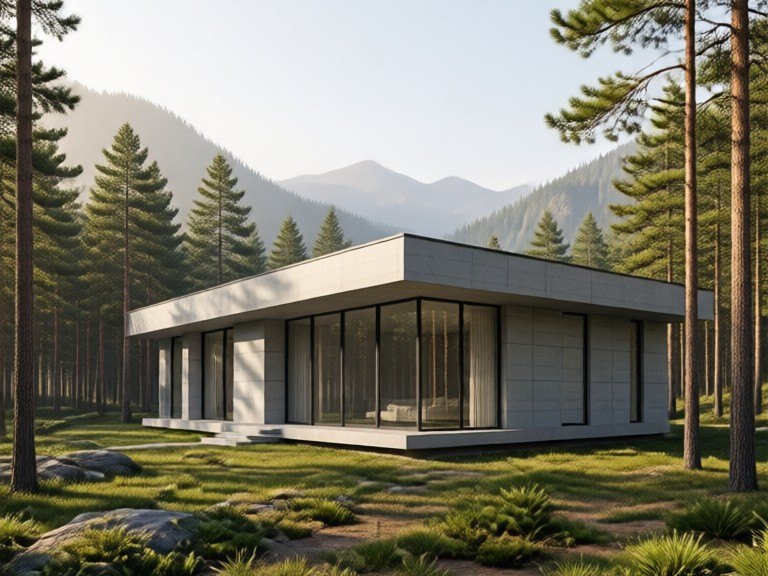
An example
A picture made with this tool.
How to use AI Architecture Design Generator
1. Pick your options
Choose a style, upload an image if the tool asks for one, or type what you want.
2. Hit Generate
The AI does the work in seconds — free to use.
3. Download or copy
Save your result, copy it, or tweak the options and run it again.
Free to use · Works in your browser
How the AI Architecture Design Generator works
Write out the brief: building type, architectural style, number of storeys, main materials, roof form, site and climate. The generator produces a photoreal exterior render with correct perspective, honest materials and daylight that grounds the building on its site. Iterate by changing one variable at a time - swap timber for board-formed concrete, drop a storey, move the sun - and rerun to build a small set of options to compare side by side.
Tips for the AI Architecture Design Generator
Lead with the building type and style, then materials, then context: 'three-storey Nordic timber-and-glass office, sloping wooded site, overcast light'. Naming the camera view - eye-level street view, three-quarter corner, aerial - has a bigger effect than any adjective. Keep the material list to three.