AI Photo Retoucher
Give a portrait a professional retouch: temporary blemishes cleaned up, skin tone evened, stray hairs tidied and colour balanced, with real skin texture and your actual features left alone.
Free to use · Chat-style editing
Before and after
Made with this tool. Drag the handle to compare.
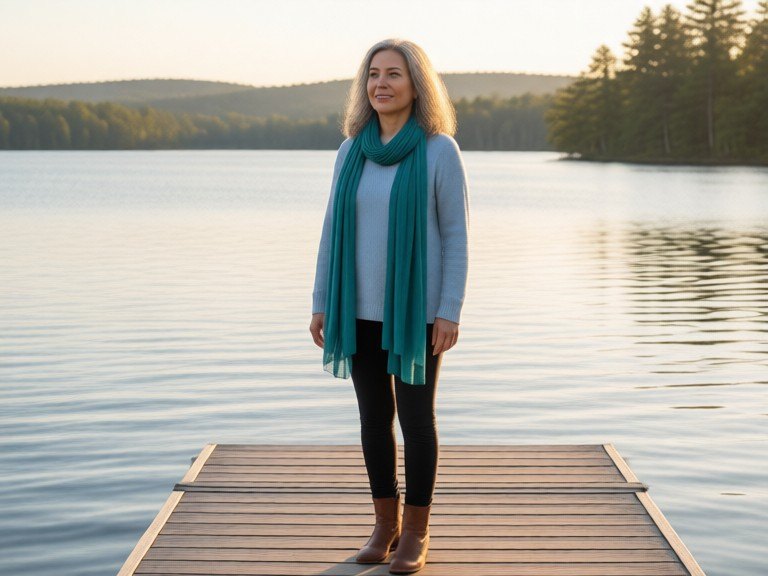
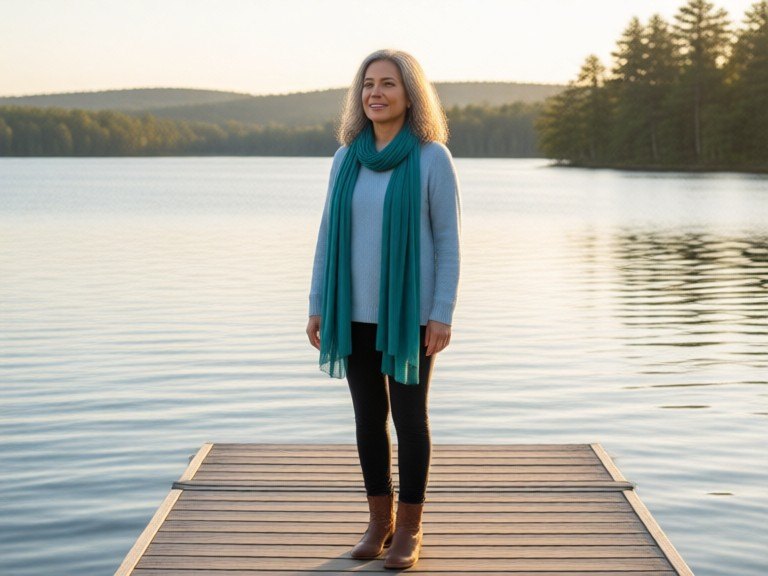 BeforeAfter
How to use AI Photo Retoucher
1. Pick your options
Choose a style, upload an image if the tool asks for one, or type what you want.
2. Hit Generate
The AI does the work in seconds — free to use.
3. Download or copy
Save your result, copy it, or tweak the options and run it again.
Free to use · Works in your browser
How the AI Photo Retoucher works
Upload the portrait and say how far the retouch should go, for example 'light retouch, clean up blemishes but keep freckles and skin texture' or 'full magazine-style retouch'. Generate and inspect the skin at full size for smoothing. If it went too far, ask for a lighter pass with more texture and run again on the same upload.
Tips for the AI Photo Retoucher
Ask for skin texture and pores to be preserved, which is what separates a professional retouch from a plastic one. Say which features to keep, such as freckles, moles or scars. Light retouching plus good colour balance usually beats heavy smoothing. Check the result at full size, not just the thumbnail.