AI 80s Photo Maker
Turn a photo of yourself into a real-looking 1980s picture: big 80s hair, era clothes, a studio or home backdrop and film grain, with the same face.
Free to use · Chat-style editing
Before and after
Made with this tool. Drag the handle to compare.
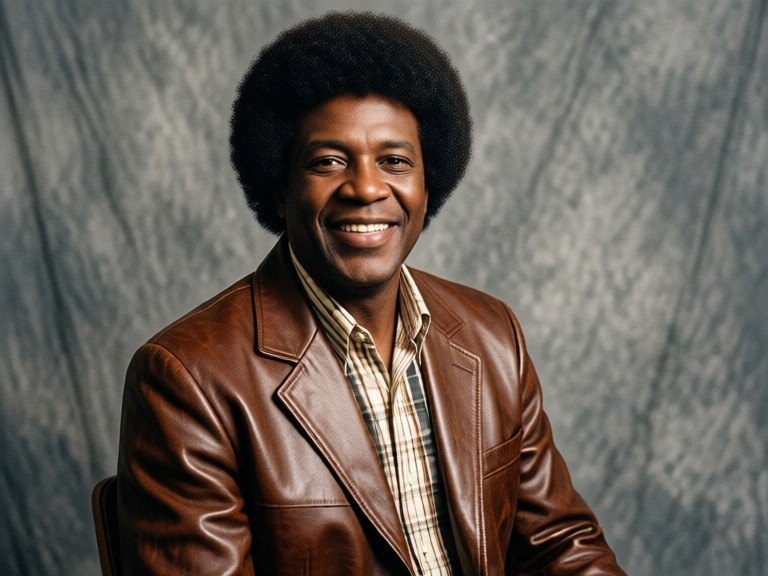
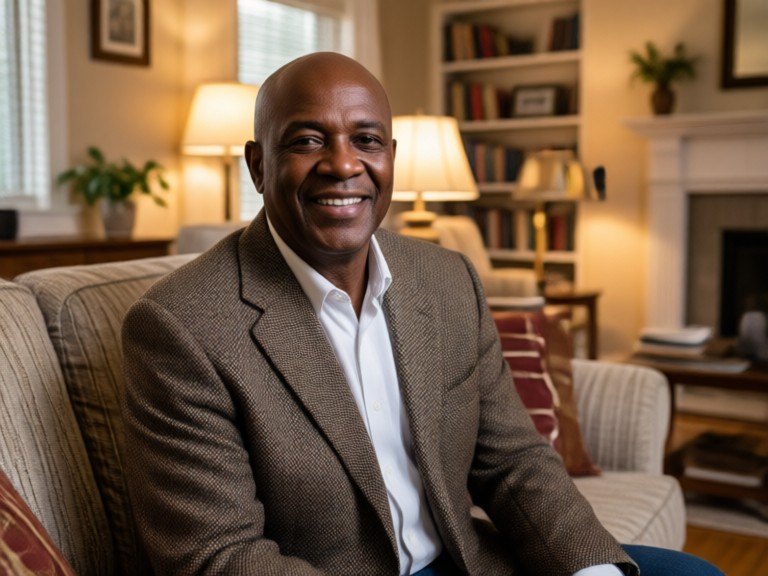 BeforeAfter
How to use AI 80s Photo Maker
1. Pick your options
Choose a style, upload an image if the tool asks for one, or type what you want.
2. Hit Generate
The AI does the work in seconds — free to use.
3. Download or copy
Save your result, copy it, or tweak the options and run it again.
Free to use · Works in your browser
What the AI 80s photo maker does
It takes a photo of you today and re-creates it as if it had been taken in the 1980s. Your face, age, skin tone and expression stay the same, while everything around them moves back in time: the hair gets 80s volume, feathering or a soft perm, the outfit changes to period clothes like denim jackets, knit sweaters or padded shoulders, the background becomes a studio backdrop or a lived-in 80s room, and the whole image picks up warm, slightly faded colour and real film grain. The goal is a picture that looks like it came out of an old photo album, not a modern photo with a filter on top.
80s styles to try
Leave the box empty for a classic 80s mall studio portrait with a soft gradient backdrop and gentle frontal light. Or type a style: "laser background" for the blue studio backdrop with light streaks, "80s yearbook photo" for a school portrait on a plain mottled backdrop, "family snapshot" for a casual print in a wood-panelled living room, "neon party" for a night out under coloured lights with a direct flash, "preppy catalog" for polos, cable knits and faded print colours, or "night city" for glowing storefronts and wet streets. Run it again with a new style to build a set.
Tips for the best result
Use a clear, well-lit photo of one person looking toward the camera, with the face not covered by sunglasses, hands or heavy shadows. Head-and-shoulders shots give the strongest studio-portrait look; half-body shots suit snapshots and party styles. If the first result is close but not quite right, add one or two words such as "more grain", "softer colours" or "bigger hair" and run it again. For other retro looks, try the 90s Yearbook Photo Filter, Vintage Photo AI, the Polaroid Style Generator or the AI Flash Filter. Only upload photos you took or may use.