AI Clay Filter
Turn any photo into a claymation scene: people, pets, objects and rooms remade in soft modelling clay with fingerprints, rounded shapes and warm studio light, keeping the same subject and pose.
Free to use · Chat-style editing
Before and after
Made with this tool. Drag the handle to compare.
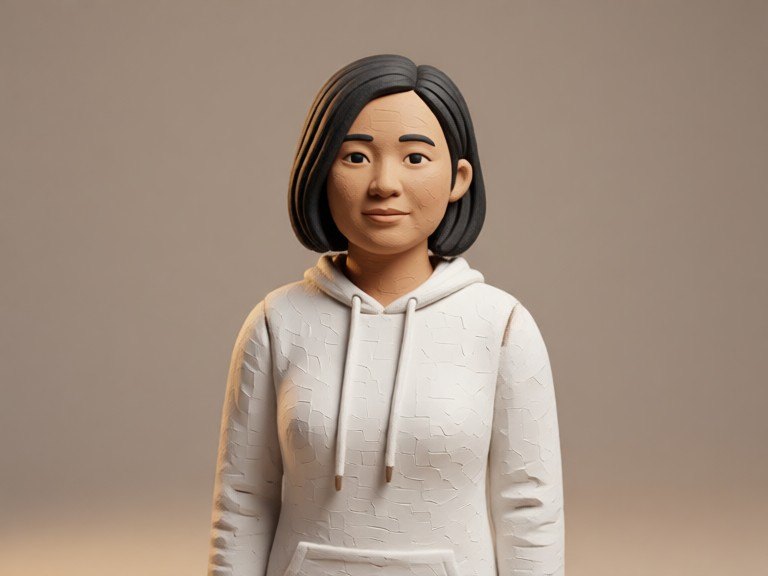
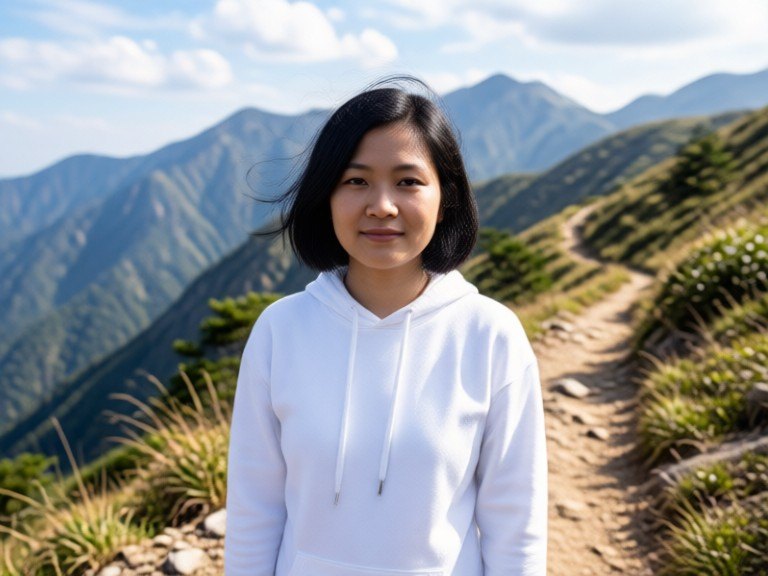 BeforeAfter
How to use AI Clay Filter
1. Pick your options
Choose a style, upload an image if the tool asks for one, or type what you want.
2. Hit Generate
The AI does the work in seconds — free to use.
3. Download or copy
Save your result, copy it, or tweak the options and run it again.
Free to use · Works in your browser
What the clay filter does
Claymation is the look of stop-motion films made from modelling clay: matte, slightly soft surfaces, small fingerprints and tool marks, rounded and simplified shapes, big expressive eyes and warm, soft studio light on a miniature set. The AI clay filter rebuilds your photo in that material instead of laying a texture on top. Faces, fur, clothes, furniture and even the background become sculpted clay, while the subject, pose and composition stay where they were, so the result looks like a frame from a handmade clay animation of your own photo.
Clay styles to try
Leave the box empty for a classic stop-motion clay look. Or type a style: "smooth clay" for a clean, polished finish, "chunky handmade clay" for thick fingerprints and visible seams, "terracotta" for warm, earthy unglazed clay, "colourful kids' clay" for bright primary colours, or "miniature clay set" to turn the whole background into a tiny handmade stage. Add "subtle" or "strong" to set how far the clay look goes, and run it again with another word to compare.
Works on people, pets and things
Selfies, family photos, pets, food, toys, cars and rooms all work. For people the face shape, expression, hairstyle and clothes are kept, so the clay figure still reads as the same person; the style simplifies details, as real claymation does. A clear, well-lit photo with the subject facing the camera gives the cleanest clay figure. For other looks, try the Pixar Style AI Image Generator, Cartoon Style AI or AI Image Style Transfer. Only upload photos you took or may use.