AI Van Gogh Filter
Repaint your photo in the style of Van Gogh: thick swirling brushstrokes, glowing starry skies and rich blues and yellows, while the people, pets and scene stay the same.
Free to use · Chat-style editing
Before and after
Made with this tool. Drag the handle to compare.
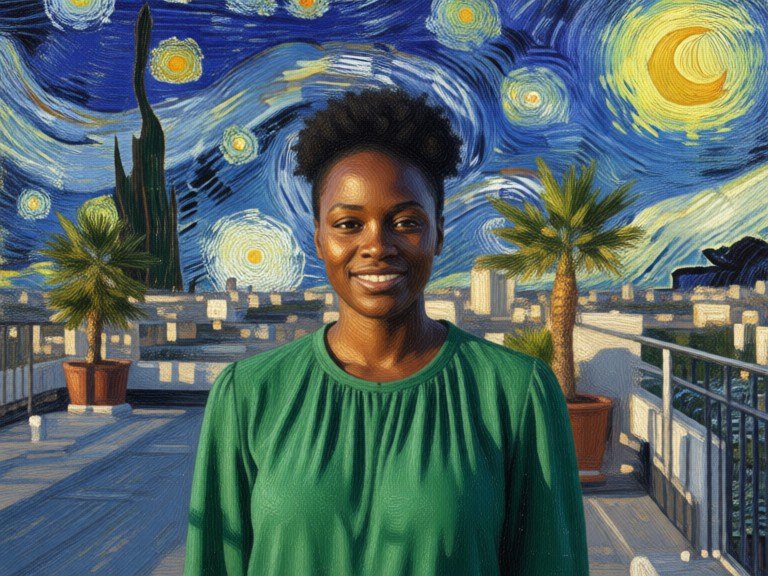
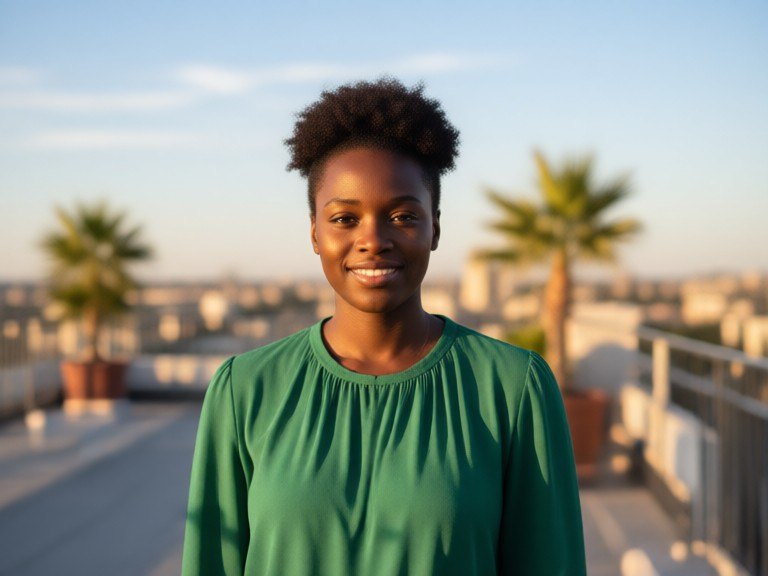 BeforeAfter
How to use AI Van Gogh Filter
1. Pick your options
Choose a style, upload an image if the tool asks for one, or type what you want.
2. Hit Generate
The AI does the work in seconds — free to use.
3. Download or copy
Save your result, copy it, or tweak the options and run it again.
Free to use · Works in your browser
What the AI Van Gogh filter does
It repaints your photo as if it were an oil painting by Van Gogh. Brushstrokes become short, thick, directional dabs that swirl around shapes, skies turn into rolling spirals, and colours shift toward deep cobalt blue, golden yellow and rich green with strong outlines. The picture underneath stays the same: the same people, pets, buildings and layout, just painted. It is inspired by the 19th-century post-impressionist style and is an AI restyle of your own photo, not a copy of any existing painting.
Painting styles to try
Leave the box empty for the classic look: swirling sky, thick impasto strokes and vivid blues and yellows. Or type a variation: "starry night sky" to add glowing stars and a spiral night sky, "sunflower field colours" for warm yellow and orange tones, "cafe at night" for a yellow-lit terrace under a deep blue sky, "wheat field" for golden strokes and a stormy sky, "self portrait style" for a short-stroke portrait with a textured background, or "softer strokes" for a lighter touch that keeps more detail.
Tips for the best painting
Landscapes, skies, city streets, gardens and portraits with simple backgrounds all suit this style. For people, a clear, front-facing photo keeps the likeness best. Strong colour in the original photo gives richer paint. If the result is too wild, add "softer strokes"; if you want more drama, add "thicker paint". For other painting looks, try Oil Painting Style AI, the Impressionist Art Generator, the Watercolor Art Creator or Pop Art Style AI. Only upload photos you took or may use.