Disco Ball Photo Effect
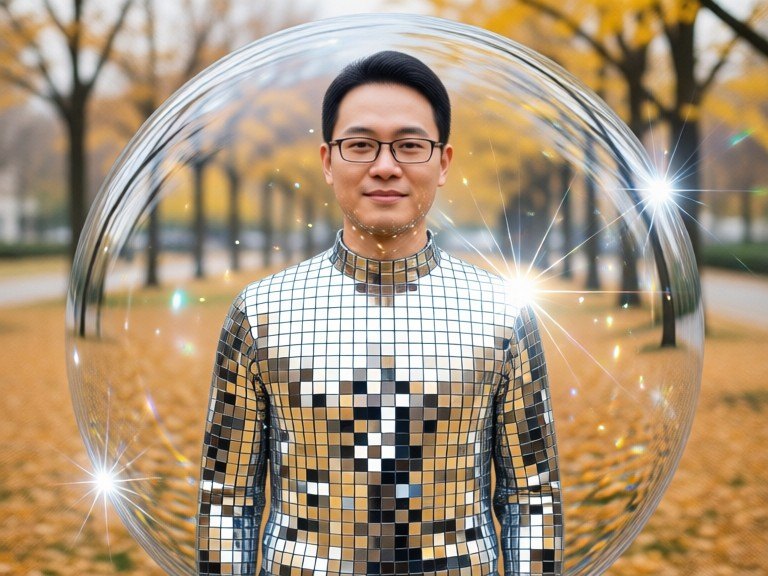
Turn a person, pet or object in your photo into a glittering mirror ball: the same shape and pose, covered in faceted mirror tiles with sparkles and light flares.
Free to use · Chat-style editing
Before and after
Made with this tool. Drag the handle to compare.
 BeforeAfter
How to use Disco Ball Photo Effect
1. Pick your options
Choose a style, upload an image if the tool asks for one, or type what you want.
2. Hit Generate
The AI does the work in seconds — free to use.
3. Download or copy
Save your result, copy it, or tweak the options and run it again.
Free to use · Works in your browser
What the disco ball photo effect does
A disco ball is made of hundreds of small flat mirrors, so it throws back light as bright points, flares and stripes of colour. This effect gives your subject that same surface. The person, pet or object keeps its outline, pose and place in the frame, but its surface becomes faceted mirror tiles, each catching a slightly different reflection, with sparkles and soft flares around the brightest edges. The background is darkened to a club or studio look so the glitter stands out. It is a stylised image rather than a photo edit of the light alone, which is what makes it look like a mirror-ball statue of the original.
Disco styles to try
Leave the box empty for the classic silver mirror-ball look. Or type a style: "gold glitter tiles" for warm gold mirrors, "disco party lighting" to keep your photo as it is and add coloured spotlights, a hanging mirror ball and light dots on the walls, "pet disco ball" for a dog or cat turned into a sparkling statue, "object disco ball" for a shoe, bottle, car or logo shape, or "subtle sparkle" for a lighter shimmer that keeps more of the original colour. Add "pink", "rainbow" or "blue" to tint the reflections.
Tips for the best mirror-ball result
One clear subject on a plain or uncluttered background gives the cleanest tiles; busy scenes turn noisy. For portraits, a face turned toward the camera keeps the face shape and expression easiest to read under the tiles. Pets and products work especially well because their silhouettes are simple. If you want your face fully visible, use "disco party lighting" instead of the full mirror look. For other party moods, try AI Neon Lighting, the AI Flash Filter, the Aesthetic Photo Editor or AI Photo Filters. Only upload photos you took or may use.