AI Photo Doodle Maker
Add hand-drawn doodles to any photo: marker hearts, stars, sparkles, arrows and squiggles drawn around you, while the photo itself stays exactly the same.
Free to use · Chat-style editing
Before and after
Made with this tool. Drag the handle to compare.
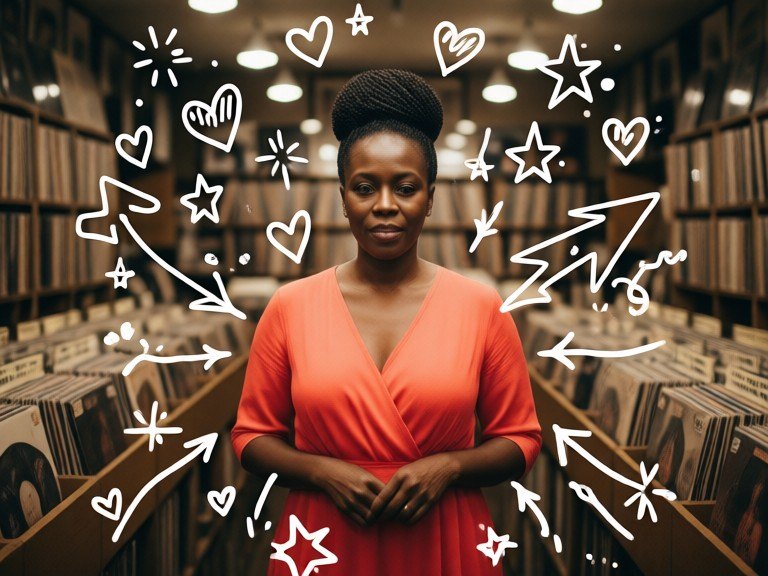
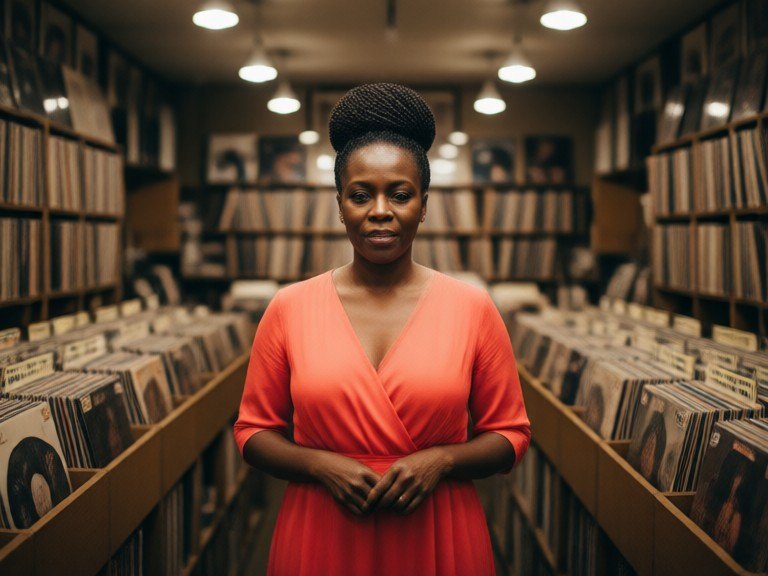 BeforeAfter
How to use AI Photo Doodle Maker
1. Pick your options
Choose a style, upload an image if the tool asks for one, or type what you want.
2. Hit Generate
The AI does the work in seconds — free to use.
3. Download or copy
Save your result, copy it, or tweak the options and run it again.
Free to use · Works in your browser
What the photo doodle look is
A photo doodle is a normal picture with playful hand-drawn marks added on top, as if someone grabbed a marker and scribbled on the print: little hearts, stars, sparkles, arrows pointing at you, clouds, crowns and loose squiggles filling the empty space. The lines are a bit wobbly on purpose, so they look drawn rather than pasted. The look took off on Stories and short videos because it turns an ordinary selfie, couple shot or travel photo into something that feels personal and fun. The AI photo doodle maker draws that layer for you in a few seconds.
Doodle styles to try
Leave the box empty for the classic version: white marker hearts, stars and sparkles around the subject. Or describe the style you want: "cute pink hearts and stars", "scrapbook page" for tape strips, frames and little notes, "colorful crayon" for a childlike hand, "minimal line doodles" for just a few clean marks, "black marker" for a Polaroid feel, or "birthday doodles" for balloons, confetti and a party hat. Want words on it? Add a short caption, for example caption: best day ever. Without one, no text is added.
Your photo stays your photo
The doodles are only an extra layer. Faces, expressions, bodies, hair, clothes, pose, colours and the background stay as they were, and the drawings are kept off faces so nobody is hidden. Photos with some open sky, wall or floor around the subject give the doodles the most room. Pets, couples, groups, outfits and food photos all work. Run it again for a new layout. For other edits, try the Sticker Maker, Aesthetic Photo Editor, AI Photo Filters or the AI Flash Filter. Only upload photos you took or may use.