Hoodie Mockup Generator
Upload your design or logo and see it printed on a hoodie in seconds: laid flat, folded, on a hanger or worn, on the front or the back. Pick a colour and download the preview. Free to use.
Use the flat image file of your design or logo. Bold graphics and large lettering work best. The result is a preview: the AI redraws the print, so small text and fine lines can change slightly.
Pick a scene
Pick a hoodie colour
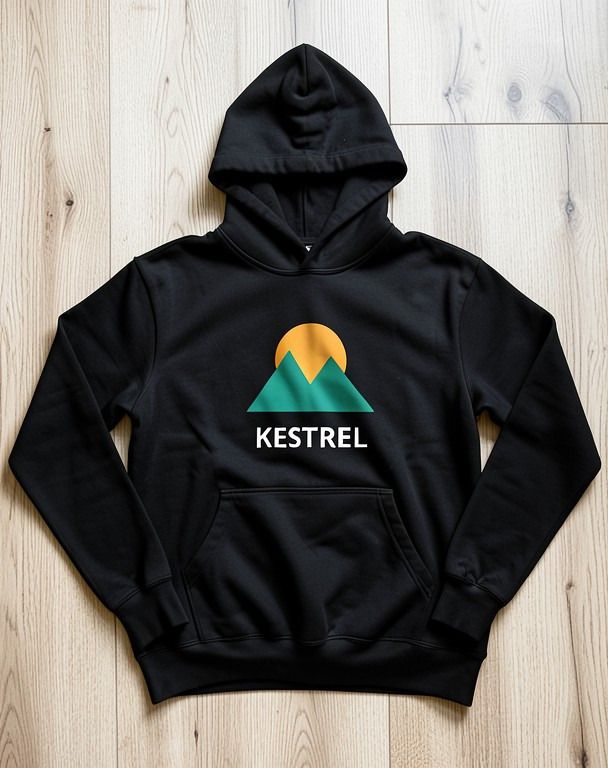
An example hoodie mockup
A made-up "Kestrel" trail club design (white lettering on a transparent PNG), shown as a black hoodie in the Flat lay scene.
How to make a hoodie mockup
- 1
Upload your design
Add the flat image file of your print, graphic or logo. JPG, PNG, WEBP or HEIC, under 15 MB. A PNG on a plain or transparent background works best.
- 2
Pick a scene and colour
Choose how the hoodie is shown (flat lay, folded, on a hanger, worn from the front, a back print or a street shot) and pick black, white, heather grey, navy or maroon.
- 3
Preview and download
Press Make my hoodie mockup. AI prints your design on the hoodie in that scene. Download the image, or try another scene with the same design.
Hoodie scenes you can pick
Flat lay
The hoodie laid flat on a light wooden floor, shot from above, with the sleeves and hood neatly arranged.
Folded on a table
A neatly folded hoodie on a clean white table, with your print on the folded front.
On a hanger
The hoodie on a wooden hanger against a plain light grey wall, in soft daylight.
Worn, front view
A person wearing the hoodie in a bright studio, framed from the chin to the hips, with the print on the chest.
Back print, worn
The same studio shot from behind, with your design printed large across the back.
Street, worn
A person walking down a city street in soft autumn light, for a natural, lifestyle feel.
Every scene comes in black, white, heather grey, navy or maroon.
Who uses a hoodie mockup
Merch and print-on-demand sellers
Show a new hoodie design in a listing or a launch post before you order a sample.
Clubs, teams and schools
Let members see the crest or team print on a hoodie in the club colours before you vote on it.
Bands and creators
Preview tour or channel merch on a black or grey hoodie and share it with your fans for feedback.
Designers and students
Put a graphic on a garment for a portfolio page or a client check, without a photo shoot.
Tips for a clean hoodie print
Hoodie fabric is thick and soft, so the AI bends your print with the folds of the cotton. Bold shapes and big letters survive that best; very fine detail may blur.
Pick a hoodie colour that contrasts with your design: a light print on black or navy, a dark print on white or grey.
The mockup is a picture for previews and listings. For printing, send your original design file to your printer.
Frequently asked questions
What is a hoodie mockup?
A hoodie mockup is a realistic preview of your design printed on a hoodie, for example laid flat, on a hanger or worn by a person. It shows how the print will look before you make or sell the real thing.
What design files work best?
Upload the flat design file itself, not a photo of a garment. JPG, PNG, WEBP or HEIC under 15 MB. Bold graphics with large lettering on a plain or transparent background give the cleanest result.
Will my design look exactly the same?
Close, but not always exact. The AI redraws the whole photo, so small text, thin lines and exact colours in your print can change slightly. Use the result as a preview, not as a print file.
Can I show the design on the back of the hoodie?
Yes. Pick the Back print scene and the design is shown large across the back of a hoodie, worn and seen from behind.
Is the hoodie mockup generator free?
Yes, it is free to use. When many people use it at once, the tool may ask you to wait a few seconds before your next mockup.