T-Shirt Mockup Generator
Upload your design and see it printed on a t-shirt: flat lay, folded, on a hanger, worn in a studio or on the street. Pick a shirt colour and download the preview. Free to use.
Use the flat image file of your design or logo. Bold graphics and large lettering work best. The result is a preview: the AI redraws the print, so small text and fine lines can change slightly.
Pick a scene
Pick a t-shirt colour
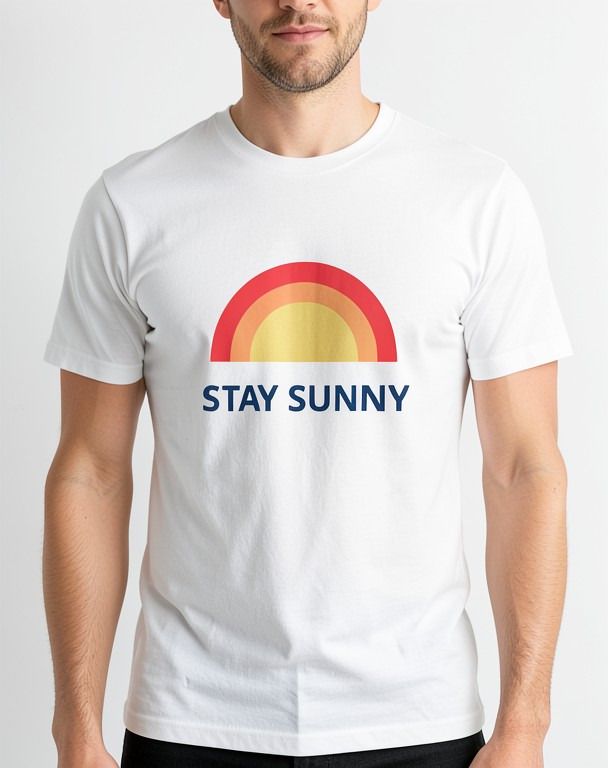
An example t-shirt mockup
A made-up "Stay Sunny" design, shown on a white tee in the Worn, front view scene.

How to make a t-shirt mockup
- 1
Upload your design
Add the flat image file of your t-shirt print, graphic or logo. JPG, PNG, WEBP or HEIC, under 15 MB. A PNG on a plain or transparent background works best.
- 2
Pick a scene and shirt colour
Choose a flat lay, a folded tee, a tee on a hanger, a worn front view, a street shot or a back print, then pick white, black, heather grey, navy or red.
- 3
Preview and download
Press Make my t-shirt mockup. AI prints your design on the tee in that scene. Download the image, or try the next scene with one click.
T-shirt scenes you can pick
Flat lay
The t-shirt smoothed out flat on a light wooden floor and shot from straight above, the classic shop listing view.
Folded on a table
A neatly folded tee on a clean white table, with your print showing on the folded front.
On a hanger
The shirt on a wooden hanger against a plain light grey wall, in soft daylight.
Worn, front view
A person wearing the tee in a bright studio, framed from the chin to the hips, print centred on the chest.
Street, worn
A relaxed street photo of a person in the shirt on a city street in daylight.
Back print, worn
A studio shot from behind with your design printed large across the back of the shirt.
Every scene comes in white, black, heather grey, navy or red.
What people use t-shirt mockups for
Shop listings
Show every colour of a new tee in your online store or marketplace listing before you print stock.
Events and fundraisers
Share the charity run, reunion or festival shirt with the group so people can see it before they order.
Small brands and startups
Preview your logo on a staff or launch tee for a pitch deck, a social post or a team vote.
Gifts and family shirts
Check how a funny slogan or a family photo print looks on a shirt before you have it made.
Getting a sharp t-shirt print
Upload the design on its own, cropped close, rather than a screenshot with other things around it. A transparent PNG is ideal.
Large, bold artwork and short slogans come out best. The AI redraws the print as it follows the cotton, so long lines of small text may change.
Try the same design on a white and a black shirt: a print that looks great on one colour can disappear on the other.
Frequently asked questions
What is a t-shirt mockup?
A t-shirt mockup is a realistic photo-style preview of your design printed on a tee, laid flat, folded, on a hanger or worn. It lets you see and share the shirt before anything is printed.
How do I put my design on a t-shirt mockup?
Upload your design file, pick a scene and a shirt colour, and press Make my t-shirt mockup. The AI places your design on the shirt and you can download the result.
Will the print look exactly like my file?
It stays close, but the AI redraws the whole photo, so small text, thin lines and exact colours can change slightly. Treat the mockup as a preview and keep your original file for printing.
Which shirt colours can I choose?
White, black, heather grey, navy and red. Every scene works with every colour, so you can compare the same design on a light and a dark shirt.
Is the t-shirt mockup generator free?
Yes, it is free to use. When many people use it at once, the tool may ask you to wait a few seconds before your next mockup.