Logo Mockup Generator
Upload your logo and see it in the real world: a 3D sign on an office wall, a shop front, a business card, embossed paper, a coffee cup or a tote bag. Download the preview. Free to use.
Use the flat image file of your logo, ideally a PNG on a plain or transparent background. Simple, bold logos work best. The result is a preview: the AI redraws the logo, so small text and thin lines can change slightly.
Pick a scene
An example logo mockup
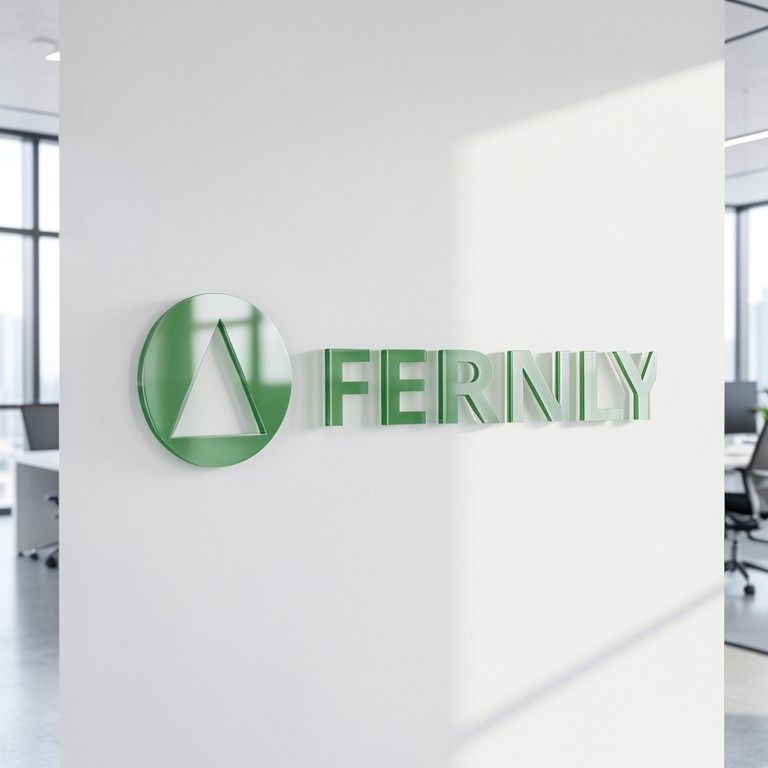
A made-up "Fernly" logo, shown as a 3D sign on an office wall in the Wall sign scene.
How to make a logo mockup
- 1
Upload your logo
Add your logo as a JPG, PNG, WEBP or HEIC file under 15 MB. A PNG on a transparent or plain white background gives the cleanest result.
- 2
Pick a scene
Choose where your logo appears: a 3D sign on an office wall, a shop front sign, a business card, embossed paper, a takeaway coffee cup or a tote bag.
- 3
Preview and download
Press Make my logo mockup. AI places your logo on that surface and keeps its shape and colours. Download it, or try the next scene with one click.
Logo mockup scenes
3D office wall sign
Your logo as raised acrylic lettering on the wall of a bright, modern reception area.
Shop front sign
The logo as the sign above the entrance of a small shop on a street, in daylight.
Business card
Printed on a business card lying on a wooden desk next to a pen and a notebook.
Embossed paper
Pressed into thick textured paper as a raised relief, lit from the side so the shape stands out.
Coffee cup
Printed on a white paper takeaway cup standing on a cafe counter.
Tote bag
Printed on a natural cotton canvas tote bag hanging against a plain wall.
When a logo mockup helps
Showing a client a new logo
Designers can present a logo on a sign, a card and a cup instead of on a blank white page, so the client sees it in real life.
Choosing between logo ideas
Put two or three versions on the same shop sign or business card and compare them side by side.
Cafes, shops and studios
See how your mark might look on your cups, bags and front sign before you order printing or signage.
Brand pages and pitch decks
Add a realistic logo preview to a brand guide, a website about page or a startup pitch.
How to keep your logo looking right
The tool tells the AI to keep your logo's shape and colours and to add no other marks. It works best with clean, simple logos.
If your logo has a tagline in small type, try a version without it: short names and bold symbols stay the sharpest.
The embossed paper scene shows your logo as a raised shape on textured paper, lit from the side. It suits simple marks best, since fine detail softens in the relief.
Frequently asked questions
What is a logo mockup?
A logo mockup is a realistic preview of your logo on a real object or place, such as an office sign, a business card or a coffee cup. It shows how the logo works in the world, not only on screen.
Will the AI change my logo?
The tool asks the AI to keep the logo’s shape and colours, and it usually stays close. Because the whole photo is redrawn, small text, thin lines and exact colours can change slightly, so use the result as a preview.
What kind of logo file works best?
A simple, bold logo saved as a PNG with a transparent or plain white background. Crop it close so the logo fills the image. Very detailed marks or tiny lettering are harder to keep sharp.
Can I use my own logo for a business?
Yes, upload a logo you own or have permission to use. You are responsible for the rights to the logo you upload.
Is the logo mockup generator free?
Yes, it is free to use. When many people use it at once, the tool may ask you to wait a few seconds before your next mockup.